

YouTube is a huge platform with over 2 billion users every month. It’s key for creators, marketers, and businesses. Starting with video creation can feel tough, but a step-by-step guide can help you unlock YouTube’s full power.
I’ll show you how to create a successful YouTube channel. We’ll start with setting up your account and then make content that your audience will love. This guide will help you master video creation and grow your online presence.
Key Takeaways
- Understand the basics of YouTube and its importance in today’s digital landscape
- Learn how to set up your YouTube account and channel
- Discover the essential elements of creating engaging video content
- Get tips on optimizing your videos for maximum visibility
- Understand how to grow your audience and increase engagement on your channel
Understanding YouTube and Its Importance for Beginners
For beginners, knowing how YouTube works is key to success. YouTube has changed how we watch videos. Its impact on the internet is huge.
The Rise of Video Content
Video content has grown a lot in the last ten years. Smartphones and fast internet make it easy to make and watch videos. Now, people prefer videos for learning, fun, and more.
Numbers show that video makes up over 80% of internet traffic. This is because videos are fun and easy to understand.
Why YouTube?
YouTube is a top place for video creators. It has over 2 billion users every month. YouTube likes content that grabs attention and is consistent.
YouTube is great for beginners because it has a big community. Creators can make money from ads, sponsorships, and selling stuff.
Key Platforms to Consider
YouTube is big, but other sites are good too. Here’s how YouTube compares with others:
| Platform | Monthly Active Users | Content Style |
|---|---|---|
| YouTube | 2 billion | Diverse, long-form |
| TikTok | 1 billion | Short-form, creative |
| Vimeo | 200 million | High-quality, creative |
Each site has its own strengths and fans. Knowing these differences helps creators pick the best site for their videos.
Setting Up My YouTube Channel
Starting your YouTube channel might seem hard, but it’s easy with the right help. First, you need to make a Google account. This is key to using YouTube’s features.
Creating a Google Account
To make a Google account, go to the Google sign-up page. Just follow the steps. You’ll need to give some basic info like your name, email, and a password. Make sure your password is strong and unique to keep your account safe. After signing up, you can use YouTube and other Google services.
Customizing My Channel’s Appearance
After your Google account is ready, you can make your YouTube channel look like you. Add a profile picture, banner, and bio that tells what your channel is about. A good-looking channel can draw in and keep viewers. To change your channel, go to YouTube Studio and follow the steps to update your art and description.
- Upload a profile picture that shows who you or your brand are.
- Make a banner that looks good with your profile picture and makes your channel more appealing.
- Write a bio that clearly explains what your channel is about and what viewers can look forward to.
Understanding YouTube Policies
Before you upload anything, you need to know YouTube’s rules. These rules help keep the platform safe and respectful for everyone. Learn about YouTube’s policies on copyright, harassment, and other guidelines to avoid having your content taken down or your channel banned.
- Read YouTube’s community guidelines carefully.
- Know the rules about copyright and fair use.
- Be aware of the policies on harassment and hate speech.
By following these steps and knowing YouTube’s rules, you can build a solid base for your channel. Then, you can start making content that your viewers will love.
Planning My Content Strategy
My YouTube journey starts with a solid content strategy. To make content that my audience loves, I must know who they are. I also need to find trending topics and plan my content with a calendar.
Identifying My Target Audience
Knowing who my audience is is key. I must think about their age, interests, and what they like to watch.
YouTube Analytics helps me understand my viewers. It shows me who they are and what they like. This info helps me make content just for them.
Researching Trending Topics
Finding out what’s popular is important. I use Google Trends and YouTube Trends to see what’s hot.
By keeping up with trends, I can make content that my audience will enjoy. This keeps them coming back for more.
Creating a Content Calendar
A content calendar keeps my content organized. It helps me stay consistent and avoid last-minute rushes.
Here’s a simple example of a content calendar:
| Date | Topic | Status |
|---|---|---|
| Monday, March 14 | Introduction to YouTube | Published |
| Monday, March 21 | YouTube Content Strategy | Scheduled |
| Monday, March 28 | Creating Engaging Thumbnails | Draft |
With a good content strategy, my YouTube channel can grow. It will engage my audience well.
Scripting and Storyboarding My Videos
Creating a great YouTube video starts with planning. This means writing a script and making a storyboard. These steps are key to keeping your video interesting and your message clear.
Importance of a Script
A good script is the heart of a successful YouTube video. It keeps me on track with what I want to say. This makes sure my video is both useful and fun to watch.
Also, a script helps me avoid mistakes during filming. It saves time and lets me prepare for any problems. Using a script also helps me use YouTube marketing techniques to reach more people.

How to Create a Storyboard
Storyboarding is like a blueprint for your video. It helps you plan out each scene and how fast to move. To make a storyboard, I break my script into scenes.
- Sketch the key frames of each scene, focusing on the main actions and elements.
- Include notes on camera angles, lighting, and any special effects.
- Review and revise my storyboard to ensure it aligns with my vision and message.
Storyboarding lets me spot problems early and fix them. This makes my video better and more enjoyable to watch.
Tips for Engaging Scripts
Writing a script that grabs your audience’s attention is an art. To keep viewers hooked, I focus on telling a story they can relate to. Here are some tips:
- Know my audience: Understanding who my viewers are and what they like helps me make content they’ll enjoy.
- Keep it concise: Using simple language and avoiding jargon makes my message clear and easy to follow.
- Include a call to action: Asking viewers to interact with my content or subscribe helps grow my community.
By using these tips and following YouTube video creation best practices, I can write scripts that engage my audience and help my channel grow.
Filming My Videos with Ease
Producing great YouTube videos starts with the basics of filming. As a beginner, knowing the fundamentals is key. It makes filming smooth and stress-free.
Choosing the Right Equipment
Having the right equipment is vital for filming. For a YouTube tutorial guide, you don’t need the most expensive stuff. But, you do need some basics.
Start with a good camera. You can use a smartphone camera if it’s high quality. Also, get a tripod for stable shots, a microphone for clear sound, and good lighting.
For beginners, a basic DSLR camera or a top-notch smartphone camera works well. If you’re doing voiceovers or speaking to the camera, a dedicated microphone will make your audio better.
Setting Up My Filming Space
Having a good filming space is key for quality videos. First, pick a clean, non-distracting background. You can use a simple background or a green screen for more options.
Lighting is also critical. Natural light is best, but softbox lights or ring lights work well if you can’t get natural light. Make sure your filming area is quiet and free from distractions.
If you’re filming at home, let others know you’re recording. A clutter-free space helps you stay focused and makes filming more efficient.
Basic Filming Techniques for Beginners
Learning basic filming techniques can really improve your videos. Start with the rule of thirds for more engaging shots. Try different angles and shots to add variety.
For a YouTube step-by-step guide, remember to make eye contact, speak clearly, and pace yourself. Practice before recording to feel more at ease.
By following these tips and practicing, you’ll get better at filming. Remember, your goal is to create content that your audience will love. Keep them in mind as you film.
Editing My YouTube Videos
Editing is key to making my YouTube videos better. It’s where I can improve the look and sound, making my content more engaging and polished.
To begin editing, I need to pick the right software. There are many options, each suited for different skill levels and budgets.
Recommended Editing Software
For beginners, tools like iMovie or Adobe Premiere Elements are great. More experienced creators might prefer Adobe Premiere Pro or Final Cut Pro X.
| Software | User Level | Price |
|---|---|---|
| iMovie | Beginner | Free |
| Adobe Premiere Elements | Intermediate | $99.99 |
| Adobe Premiere Pro | Advanced | $20.99/month |
| Final Cut Pro X | Advanced | $299.99 |
Basic Editing Techniques
After picking my software, I learn basic editing skills. This includes trimming clips, adding transitions, and adjusting audio levels.
- Trimming clips to remove unwanted parts
- Adding transitions to smooth out scene changes
- Adjusting audio levels to ensure clear sound
Adding Music and Effects
Adding music and effects can make my videos more engaging. I find royalty-free music on Audio Library or Epidemic Sound.
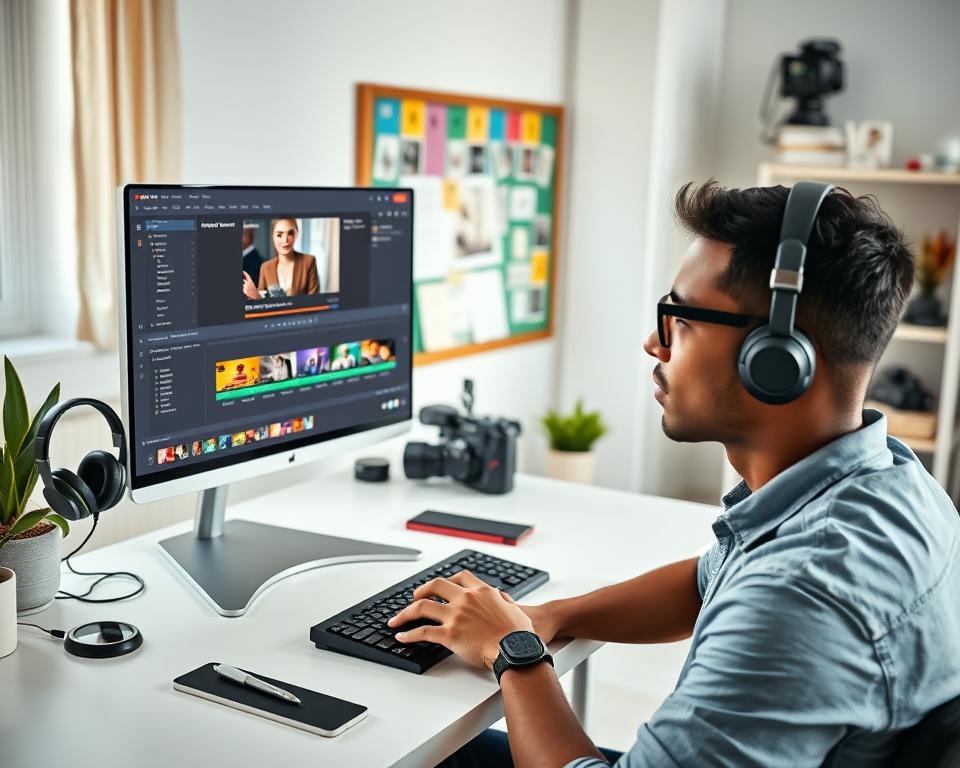
By using these editing techniques and adding music and effects, I can greatly enhance my YouTube videos. This makes them more enjoyable for my viewers.
Optimizing Videos for Search
As a creator, making my videos easy to find is key to success. It helps more people see and engage with my content.
YouTube SEO Fundamentals
Knowing YouTube SEO is vital for creators. It helps your videos show up more often. For more tips, check out SEO best practices.
YouTube looks at many things when ranking videos. This includes the title, description, tags, and how much people interact with them. By focusing on these, creators can get their videos to rank higher.
| SEO Factor | Description | Importance Level |
|---|---|---|
| Video Title | The title of the video that appears on the YouTube platform. | High |
| Video Description | A detailed description of the video content. | Medium |
| Tags | Keywords associated with the video content. | Medium |
| Engagement Metrics | Likes, comments, and watch time that indicate viewer engagement. | High |
Crafting Engaging Titles and Thumbnails
Creating catchy titles and thumbnails is essential. A good title should be interesting and informative. The thumbnail should grab attention and match the video’s content.
Tips for Creating Effective Titles and Thumbnails:
- Use action words in your title to create a sense of urgency.
- Ensure your thumbnail is high-resolution and visually appealing.
- Avoid clickbait titles that don’t deliver on their promise.
Utilizing Tags and Descriptions Effectively
Tags and descriptions are important for YouTube SEO. Tags help YouTube understand your video. Descriptions add context and can include links to more content.
Best Practices for Tags and Descriptions:
- Use relevant and specific tags that describe your content.
- Write detailed descriptions that include your target keywords.
- Include links to your other videos or playlists.
By using these strategies, creators can make their videos more visible and reach more people on YouTube.
Promoting My YouTube Channel
Effective YouTube channel promotion means building a loyal fan base. This is done through engagement, collaborating with other YouTubers, and sharing content on social media. As I grow my channel, focusing on these areas is key to increasing my visibility and reach.
Engaging with My Audience
Engaging with my audience is vital for building a loyal community. I can do this by responding to comments, asking for feedback, and creating content that resonates with my viewers. Studies show that engaging with the audience leads to higher viewer loyalty and retention.
“The key to successful YouTube marketing is understanding your audience and creating content that speaks to them.” –
To boost engagement, I can:
- Host live streams to interact with my audience in real-time.
- Create community posts to share updates and behind-the-scenes content.
- Use YouTube’s polling feature to gather feedback from my viewers.
Collaborating with Other Creators
Collaborating with other YouTubers is a great way to expand my audience. Working with creators in my niche can help me reach new viewers. For more insights, I can check out Nearstream’s guide to promoting YouTube channels.
| Collaboration Type | Benefits |
|---|---|
| Guest Appearances | Increased credibility and exposure to new audiences. |
| Joint Content Creation | Shared workload and diverse perspectives on content. |
| Shoutouts and Mentions | Mutual promotion and community building. |
Leveraging Social Media for Promotion
Using social media platforms is key for promoting my YouTube channel. Sharing my content on Facebook, Twitter, and Instagram can drive traffic to my channel and increase subscribers.
- Sharing behind-the-scenes content to generate interest.
- Utilizing hashtags to increase the discoverability of my posts.
- Engaging with my followers by responding to comments and messages.
By using these strategies, I can effectively promote my YouTube channel and achieve sustainable growth.
Analyzing My Channel’s Performance
Growing my YouTube channel means I must analyze its performance. YouTube Analytics gives me insights into what works and what doesn’t. This helps me improve my content and boost engagement.
Understanding YouTube Analytics
YouTube Analytics shows me how my channel is doing. It tracks view count, watch time, and earnings. This info helps me see where I can do better and change my strategy.
Key Metrics to Monitor
It’s important to watch view count, engagement, and audience retention. These metrics tell me what my audience likes. I can then make my videos better to keep them interested.
Adjusting My Strategy
Looking at my channel’s data helps me fine-tune my strategy. This data-driven approach lets me keep improving. It helps me reach my goals and engage my audience better.