
I remember the day I realized how vulnerable I was on a coffee shop’s free internet. It was a wake-up call. It made me understand the importance of protecting myself online.
As I learned more, I found out millions fall victim to cybercrime every year. This is often because of unsecured connections. This taught me how important it is to know about Public Wi-Fi risks today.
Through my journey, I’ve learned a lot about keeping safe online. I want to share these lessons with you. This way, you can stay safe while using public Wi-Fi.
Key Takeaways
- Understanding the risks of public Wi-Fi is key to staying safe online.
- Using a VPN can greatly improve your security on public networks.
- Being careful about what you share on public Wi-Fi is very important.
- Keeping your devices and software updated is essential for safety.
- Safe browsing habits can help reduce your risk of cyber threats.
Understanding Public Wi-Fi Risks
Public Wi-Fi can be a hotspot for cyber threats. When I use it, I’m sharing it with many others. This increases the chance of data breaches.
What Makes Public Wi-Fi Vulnerable?
Public Wi-Fi networks are often not secure or set up wrong. Hackers can easily intercept data sent over these networks. This puts my personal info at risk.
Also, public Wi-Fi networks usually don’t have strong security like encryption. This makes them even more vulnerable.
Common Threats I Encounter
When I use public Wi-Fi, I face many threats. These include:
- Man-in-the-middle attacks, where hackers intercept my data
- Malware distribution, which can infect my device
- Rogue hotspots that mimic legitimate networks
These threats can cause data theft, financial loss, and compromised personal security.
How Data Can Be Intercepted
Data interception happens when a hacker sits between my device and the public Wi-Fi. This can occur through:
- Packet sniffing, where data packets are captured and analyzed
- Session hijacking, where my session is taken over by a hacker
To show the risks, here’s a table:
| Threat | Description | Consequence |
|---|---|---|
| Man-in-the-middle attack | Data interception between device and network | Data theft, eavesdropping |
| Malware distribution | Malicious software spread through public Wi-Fi | Device infection, data loss |
As cybersecurity expert Bruce Schneier said, “The most important thing is to understand that you’re not just protecting your own data, you’re also protecting the data of everyone you’re connected to.” This quote shows why knowing the risks of public Wi-Fi is key.
“Security is not just about technology, it’s about people and processes.”
Recognizing Malicious Hotspots
I’ve learned that not all public Wi-Fi is safe. Some can be very dangerous. So, I’m always careful when using public Wi-Fi.
The Dangers of Rogue Hotspots
Rogue hotspots look like real networks but are actually traps. They can be set up anywhere. It’s important to know which networks are around you.
Even if I’m careful, rogue hotspots can steal my data. Knowing the risks helps me stay safe.
How I Identify Safe Networks
To find safe networks, I look for certain signs. First, I check the network name to make sure it’s real. I also make sure it’s password-protected or needs a login.
- Check if the network name is legitimate and not a variation of a legitimate name.
- Verify if the network is password-protected or requires authentication.
- Look for indicators of a secure connection, such as HTTPS, when browsing.
Staying Aware of Network Names
Knowing network names is key to avoiding danger. I’m careful of names that seem similar to real ones but are off. It’s also a good practice to ask the network administrator for the correct network name if you’re unsure.
| Network Characteristics | Safe Network | Malicious Network |
|---|---|---|
| Network Name | Legitimate and clear | Slightly varied or confusing |
| Password Protection | Yes, password-protected | Often open or easily guessable password |
| Security Indicators | HTTPS, trusted certificates | Missing or fake security indicators |
By knowing these signs, I can choose safer networks.
The Importance of Using a VPN
I’ve learned that a VPN is key for keeping my data safe on public Wi-Fi. A VPN, or Virtual Private Network, makes a secure tunnel for my internet. This keeps it safe from threats on public networks.
What a VPN Does for My Security
A VPN makes my internet traffic safe by encrypting it. This makes it hard for hackers to get my data. It’s very important when I’m online with sensitive info, like bank details or emails.
Some key benefits of using a VPN include:
- Encryption of internet traffic to protect against data interception
- Masking of my IP address to maintain anonymity online
- Protection against cyber threats when using public Wi-Fi
Choosing the Right VPN Service
When picking a VPN service, I look at a few things to make sure I’m safe. These are:
- The level of encryption offered by the VPN
- The VPN’s logging policy to ensure my data isn’t being stored
- The speed and reliability of the VPN connection
I also choose a VPN that’s open about its practices and has a good security reputation.
“A VPN is an essential tool for anyone who regularly uses public Wi-Fi networks. By encrypting your internet traffic, it provides a critical layer of protection against cyber threats.”
How to Use a VPN Effectively
To use a VPN well, I make sure it’s on before I use public Wi-Fi. I also keep my VPN software updated to fight off new threats.
Some more tips for using a VPN include:
- Using a VPN whenever I’m connected to public Wi-Fi
- Avoiding free VPN services that may compromise on security
- Regularly reviewing my VPN settings to ensure optimal protection
By following these tips and using a VPN all the time, I can really boost my online security. This keeps my data safe on public Wi-Fi networks.
Keeping My Device Secure
When I use public Wi-Fi, I make sure my device is secure. This means taking several important steps to protect my data.
Regular Software Updates
Keeping my device secure starts with keeping my software up-to-date. Regular software updates fix security holes that hackers might use. By keeping up, I lower the chance of my device getting hacked.
For example, I turn on automatic updates. This way, I get the latest security fixes right away, without having to check for them myself.
Using Antivirus Protection
Another key step is using antivirus protection. Antivirus software finds and removes malware that could hurt my device or steal my data. I pick a trusted antivirus and keep it updated.
Some antivirus programs also have extra features like firewalls and anti-phishing tools. These help make my device even safer.
Disabling Sharing Options
When I’m on public Wi-Fi, I turn off sharing on my device. This stops others from seeing my files or printer. It’s a simple way to keep my data private and secure.
I also make sure my device can’t be found by others. This adds more protection against threats.
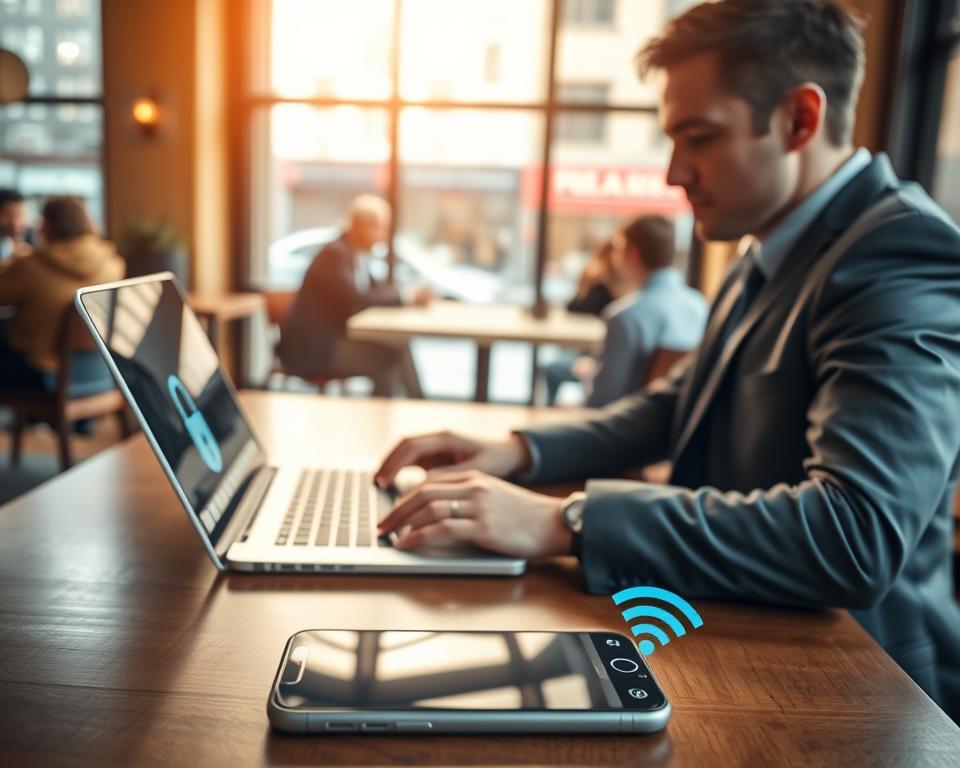
By keeping my software current, using antivirus, and disabling sharing, I greatly improve my device’s security on public Wi-Fi. These internet safety measures are key to keeping my personal data safe and my online privacy intact.
Best Practices for Accessing Public Wi-Fi
To stay safe on public Wi-Fi, it’s important to know and follow best practices. Public Wi-Fi is convenient but can be risky if not used wisely.
Avoiding Sensitive Transactions
When on public Wi-Fi, don’t check your bank accounts or enter credit card numbers. For more tips, check Washington State’s guide on public Wi-Fi.
If you need to do something sensitive, use your mobile data or wait for a secure network. This helps keep your data safe from hackers.
Limiting App Use While Connected
Not all apps are safe on public Wi-Fi. Stick to apps you really need and that are known to be secure. Be careful with apps that need the internet all the time, as they can risk your data.
Logging out After Use
Always log out of public Wi-Fi when you’re done. This stops others from getting into your stuff. Also, turn off file and printer sharing to keep your device safe.
| Best Practice | Benefit |
|---|---|
| Avoid sensitive transactions | Reduces risk of data interception |
| Limit app use | Minimizes exposure to possible security threats |
| Log out after use | Prevents unauthorized device access |
By following these tips, you can greatly improve your safety on public Wi-Fi. Being informed and careful is essential to protect your data in today’s world.
The Role of HTTPS in Online Security
To stay safe on public Wi-Fi, I always check for HTTPS. It’s a simple way to boost my online safety. HTTPS, or Hypertext Transfer Protocol Secure, makes sure my browser and the website I visit are connected securely.
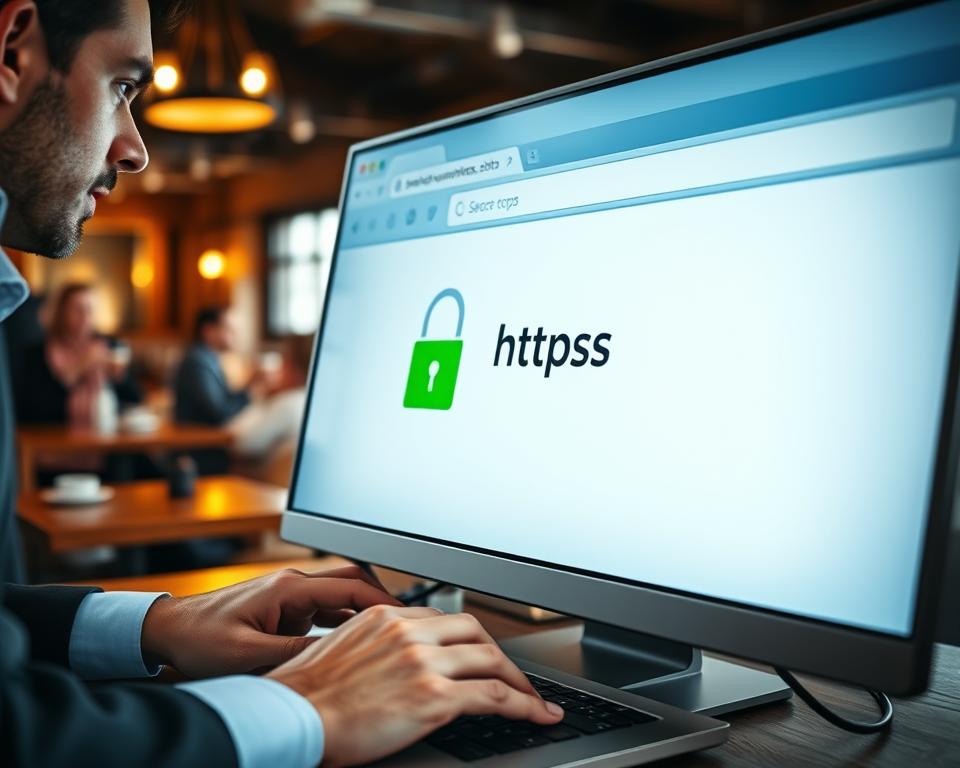
How to Identify HTTPS Sites
Finding HTTPS sites is easy. I check if “HTTPS” is at the start of the URL. I also look for a padlock icon in the address bar. This tells me the connection is safe.
Benefits of Using HTTPS Everywhere
Using HTTPS everywhere has many advantages. It encrypts my data, making it hard for hackers to read. It also guards against man-in-the-middle attacks, where someone could change the data being sent.
Key benefits of HTTPS include:
- Encryption of data to prevent interception
- Protection against man-in-the-middle attacks
- Verification of the website’s identity
Protecting My Data with Encryption
Encryption is key in HTTPS. It makes my data unreadable if intercepted. This keeps my personal info, like passwords and credit card numbers, safe.
By focusing on HTTPS, I lower the risk of data breaches on public Wi-Fi. It’s a simple action that greatly improves my online safety.
Understanding Two-Factor Authentication
With more cyber threats, I’ve found two-factor authentication (2FA) key to protecting my digital self. Learning about 2FA has become essential for better online safety.
2FA is a security method that asks for two different things to get into an account. This makes it harder for hackers to get in without permission.
What is Two-Factor Authentication?
2FA adds security beyond just a password. It needs two of three things: something you know, something you have, or something you are.
Types of 2FA:
- SMS-based 2FA: Codes are sent to my phone via SMS.
- Authenticator app-based 2FA: Apps like Google Authenticator generate codes.
- Biometric 2FA: Uses my fingerprint, face, or voice to authenticate.
How It Adds an Extra Layer of Security
2FA makes my online accounts much safer. Even if hackers get my password, they can’t get in without the second check.
For instance, with 2FA on my email, guessing my password won’t let hackers in. They need the code sent to my phone or an app.
Implementing 2FA on My Accounts
Setting up 2FA is easy. Most online services, like social media and banks, have 2FA in their security settings.
- Go to the security settings of the account I want to secure.
- Look for the two-factor authentication option and enable it.
- Follow the prompts to set up 2FA, which may involve linking a phone number or downloading an authenticator app.
By doing this, I greatly lower the chance of my accounts being hacked. It’s a big step in keeping my online world safe.
Educating Myself on Phishing Attacks
I’ve learned that knowing about phishing attempts is key to keeping my online identity safe. Phishing attacks are a big threat to our data privacy. They can give attackers access to our personal info, so we must stay alert.
Recognizing Phishing Attempts
Learning to spot phishing attempts is a big step in protecting myself. These scams often look like they’re from real sources but aim to trick us. I watch for misspelled domain names, urgent or threatening language, and requests for personal data.
To better spot these scams, I’ve studied common tactics. I’m careful of emails with generic greetings, check for spelling mistakes, and avoid links or attachments from unknown senders.
| Phishing Tactic | Description | Protective Measure |
|---|---|---|
| Misspelled Domain Names | Attackers use domains that are similar to legitimate ones. | Verify the domain name carefully. |
| Urgent or Threatening Language | Messages that create a sense of urgency to prompt action. | Take time to evaluate the message; don’t rush. |
| Requests for Personal Data | Legitimate organizations rarely ask for sensitive information via email. | Contact the organization directly to verify the request. |
What to Do if I Suspect Phishing
If I think it’s a phishing scam, I avoid it. I don’t click on links or give out info. Instead, I report it to the right people or the company it claims to be from.
Key actions include: avoiding suspicious links, not downloading attachments from unknown sources, and contacting the supposed sender through official channels to verify the authenticity of the message.
Reporting Phishing Scams
Telling authorities about phishing scams is important. I report them to the Federal Trade Commission (FTC) or my country’s consumer protection agency. I also tell my email provider or the platform where I saw the scam.
By reporting scams, I help make the internet safer for everyone. It’s a team effort that needs awareness and action from all of us.
Knowing When to Disconnect
It’s just as important to know when to leave public Wi-Fi as it is to connect. This knowledge helps keep my online activities safe from threats. It’s key for secure network connections.
Signs That I Should Exit a Network
There are clear signs it’s time to leave a public Wi-Fi network. These include:
- Seeing unusual network activity or devices you don’t know.
- Getting warnings from my antivirus about threats.
- Noticing slow or unstable internet.
Spotting these signs helps me avoid network vulnerability and stay safe online.
Importance of Trusting My Instincts
My instincts are key in deciding when to disconnect. If something feels off, I quickly leave.
This instinct is based on knowing about online dangers. It’s about keeping secure network connections.
Alternatives to Public Wi-Fi
I look for safer options instead of public Wi-Fi. These include:
- Using my mobile data for a safer connection.
- Getting a portable Wi-Fi hotspot for a private link.
- Using a VPN to encrypt my internet, even on public networks.
By being careful and choosing safer options, I boost my online security.
Continuing Education on Cybersecurity
As I explore public Wi-Fi, I see that cybersecurity is a never-ending journey. It’s key to keep up with the latest online security tips and internet safety measures to protect myself.
Staying Up-to-Date
I follow trusted sources like cybersecurity blogs and news to stay informed. This helps me adjust my online habits and avoid risks.
Real-Life Lessons
Learning from others’ experiences teaches me a lot about internet safety. Hearing about cyber threats helps me stay safe.
Sharing Knowledge
It’s important to share what I know with others. Whether it’s with family, friends, or online groups, we can all improve our online security together.